
Why Digital Marketing is Important for Everyone

In today’s world, digital marketing has become a vital part of business success. Whether you’re a small business owner or an individual looking to build your personal brand, understanding the fundamentals of digital marketing can help you grow.

The internet offers a massive reach, and digital marketing enables you to tap into this global market, making it essential for anyone looking to promote their products or services. Digital marketing is not just about advertising, it’s about creating connections with your audience, building trust, and providing them with value that they can relate to. Understanding SEO (Search Engine Optimization), content marketing, social media, email marketing, and analytics allows businesses to attract, engage, and convert leads into customers.

Digital marketing is an ever-evolving field. With the advent of new technologies and platforms, businesses need to stay current in their marketing strategies. In 2025, digital marketing will be more advanced, utilizing artificial intelligence (AI) and machine learning (ML) to personalize marketing messages. The importance of content marketing will continue to rise, with brands focusing on creating value-driven content that engages their target audience.
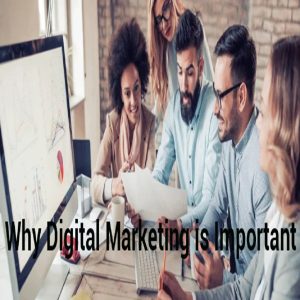
Why Digital Marketing is Important for Everyone |            Boost Your Business & Career    The rise of social media platforms like Instagram, Facebook, and TikTok has made digital marketing more interactive. By sharing high-quality content, businesses can engage directly with their audience. Social media marketing enables businesses to drive traffic, build brand recognition, and communicate with customers in real-time. Social media has made it possible for businesses to build a relationship with their customers that extends beyond just selling products. A well-executed social media strategy helps humanize your brand and shows your audience that you are interested in their needs.

Email marketing, when used correctly, remains one of the most effective tools for building long-term relationships with customers. From promoting new products and services to offering discounts and rewards, email campaigns can lead to higher engagement rates and conversions. Personalization plays a crucial role in email marketing, making customers feel that the content is tailored just for them. Email marketing also allows businesses to stay in the minds of their audience, increasing brand recall and driving repeat business.

SEO, or Search Engine Optimization, is a critical component of digital marketing that enables websites to rank higher in search engine results. By optimizing your website for search engines like Google, you can attract organic traffic, increase visibility, and ultimately drive sales. The more visible your business is on search engines, the more likely customers are to find your products or services. SEO requires ongoing effort, including keyword optimization, content creation, backlink building, and ensuring your website is technically sound.

Analytics in digital marketing is essential for measuring the success of your campaigns. Tools like Google Analytics provide valuable insights into website traffic, conversion rates, user behavior, and much more. By understanding the data, businesses can make data-driven decisions and adjust their marketing strategies accordingly. Analytics allow businesses to track what is working and what isn’t, leading to more effective marketing efforts over time. With the right tools and approach, businesses can achieve better ROI and increase their marketing effectiveness.

As the digital marketing landscape continues to grow, businesses need to adapt and innovate. Staying ahead of trends like voice search, chatbots, and video marketing will give you an edge over your competitors. Video content is already taking over as one of the most consumed content types, with consumers preferring video over traditional text-based content. The integration of AI in digital marketing will also help businesses automate their marketing efforts, analyze large datasets, and personalize their approach, leading to more targeted and relevant campaigns.

Another important aspect of digital marketing is mobile marketing. As mobile usage continues to rise, it is vital for businesses to ensure their websites and content are optimized for mobile devices. A mobile-friendly website ensures a better user experience and higher conversion rates. Mobile marketing can include mobile-friendly emails, apps, text message marketing, and location-based services, all of which contribute to increased customer engagement and satisfaction.

In conclusion, digital marketing is no longer an option for businesses – it’s a necessity. As the world becomes more connected, digital marketing offers limitless opportunities to reach a global audience. Understanding the different elements of digital marketing and how they work together can help businesses of all sizes grow and thrive in the competitive market. From building strong relationships with customers to increasing visibility and driving sales, digital marketing has the potential to revolutionize how businesses operate. Whether you’re looking to expand your business or build your personal brand, investing in digital marketing will provide you with the tools needed to succeed in today’s digital world.

Why Digital Marketing is Important in 2025

As we enter 2025, digital marketing is more important than ever before. The rapid advancements in technology and changes in consumer behavior require businesses to adapt quickly to remain competitive. Digital marketing in 2025 is no longer limited to social media posts and simple ads; it has evolved into an integrated strategy that involves artificial intelligence (AI), machine learning (ML), data analytics, and immersive experiences.

One of the primary reasons digital marketing is vital in 2025 is the rise of AI and automation tools. Businesses can automate their campaigns, personalize content based on user behavior, and analyze large data sets to create more effective marketing strategies. AI tools can predict customer preferences, suggest products, and even create ad copy tailored to specific audiences, ensuring higher conversion rates.

In 2025, video marketing continues to dominate content strategies. Short-form videos on platforms like TikTok, Instagram Reels, and YouTube Shorts are gaining massive popularity. Consumers prefer quick, informative, and entertaining video content over traditional blogs or static posts. Businesses that invest in high-quality video content are likely to experience better engagement and brand awareness.

Voice search is another trend that makes digital marketing essential in 2025. With the rise of smart assistants like Alexa, Google Assistant, and Siri, optimizing for voice search is critical. Voice search queries are conversational and longer, which means businesses need to adjust their SEO strategies to include natural language phrases and questions to remain visible in search results.

Personalization is key in digital marketing in 2025. Consumers expect brands to know their preferences, interests, and purchase history. Personalized email campaigns, product recommendations, and targeted ads make customers feel valued and increase the chances of conversions. Data analytics tools help businesses gather insights and segment their audience to provide personalized experiences at scale.

Augmented reality (AR) and virtual reality (VR) are revolutionizing the way businesses market their products and services. In 2025, customers can try products virtually before buying them. For example, furniture stores offer AR experiences to place virtual furniture in their home to see how it fits. Fashion brands allow customers to try clothes and accessories virtually, increasing confidence and reducing return rates.

Another reason digital marketing is crucial in 2025 is the shift towards ethical and sustainable brands. Consumers are becoming more aware of environmental and social issues, and they prefer brands that share their values. Digital marketing allows businesses to communicate their brand story, sustainability practices, and social responsibility initiatives effectively, building trust and loyalty among their audience.

Chatbots and conversational marketing are also gaining importance in 2025. Chatbots provide instant responses to customer queries, improve user experience, and can handle multiple customers at once. They are available 24/7, ensuring customers get support whenever needed. Conversational marketing builds relationships with customers by providing them with real-time solutions and personalized recommendations.

Influencer marketing remains a powerful strategy in 2025, but with a shift towards micro and nano influencers. Consumers trust influencers who are authentic and relatable. Brands are collaborating with smaller influencers who have a highly engaged audience to promote their products and services effectively at a lower cost compared to celebrity influencers.

Social commerce is another major trend in 2025. Social media platforms are integrating e-commerce features, allowing users to shop directly without leaving the app. Instagram Shops, Facebook Marketplace, and TikTok Shopping are making it easier for businesses to sell their products directly to their audience, reducing the purchase journey and increasing sales.

Finally, digital marketing is important in 2025 because it provides measurable results. Unlike traditional marketing, digital marketing allows businesses to track their campaigns, measure performance, and optimize strategies in real-time. Businesses can analyze data, understand what works and what doesn’t, and make data-driven decisions to improve ROI.

In conclusion, digital marketing in 2025 is an ever-evolving landscape that requires businesses to stay updated with the latest trends and technologies. Investing in digital marketing ensures better audience reach, engagement, and conversions, making it a vital component for business growth and success in the competitive market of 2025.

How to Grow YouTube Channel from Zero

Growing a YouTube channel from zero subscribers requires strategic planning, consistency, and patience. The first step is to define your niche clearly. Identify what topics you will cover and ensure it aligns with your expertise or passion. Niching down helps attract a targeted audience who are genuinely interested in your content.

Second, create a content plan. Research what your target audience is searching for by using tools like YouTube Search Suggest, Google Trends, or TubeBuddy. Create a list of content ideas with high demand but low competition to gain traction faster. Consistency in uploading is essential; aim for at least 2-3 videos per week in the beginning to feed the algorithm.
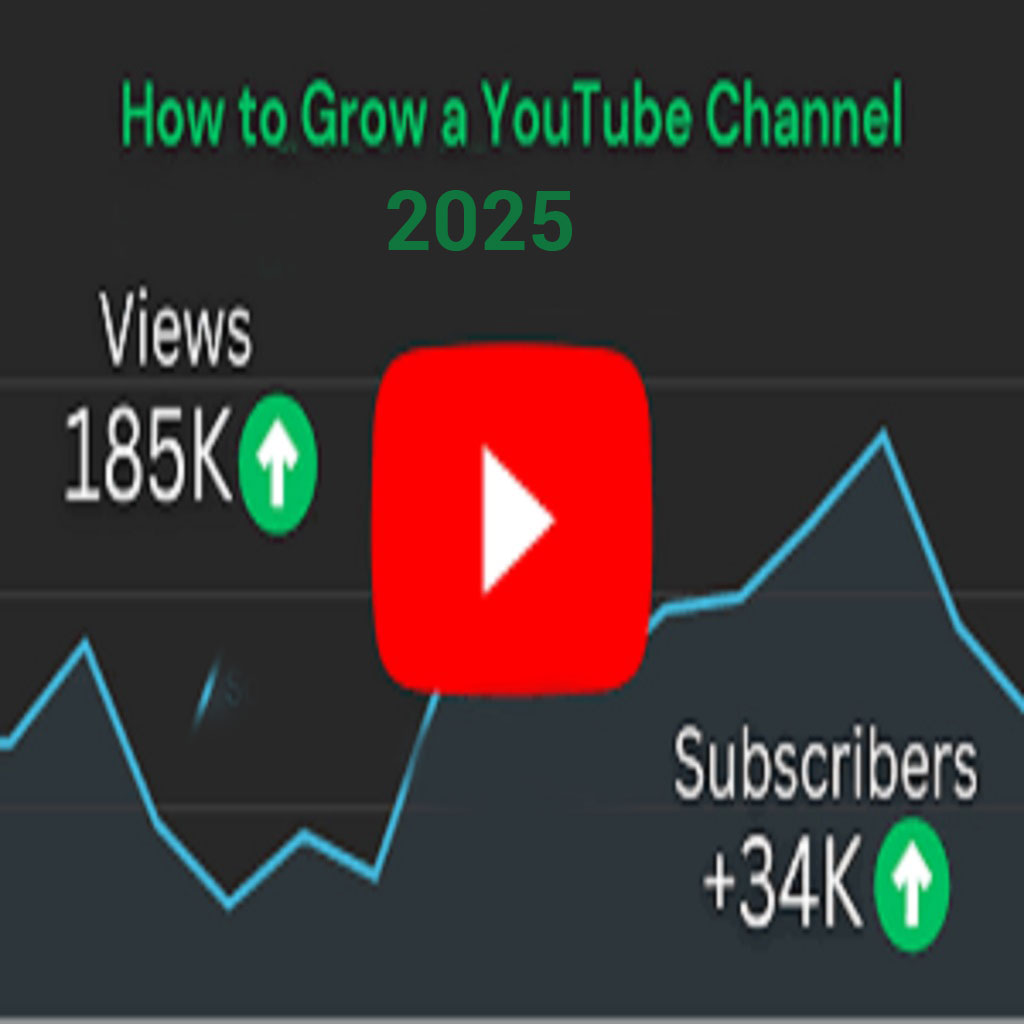
Third, focus on video SEO. Your video title should be keyword-rich yet natural and clickable. The description should include a detailed summary of your video with relevant keywords and timestamps if needed. Tags help YouTube understand your video content better, so use them wisely, focusing on primary keywords, synonyms, and niche topics.

Fourth, your thumbnail plays a crucial role in getting views. Design custom thumbnails with bold text, bright colors, and close-up images that attract attention. Avoid clutter and ensure the text is readable on small screens as most users browse on mobile.

Fifth, the first 15 seconds of your video are critical. Hook your viewers immediately by addressing their problem or stating what benefit they will gain from the video. Retention is key for YouTube ranking. Keep editing tight, remove unnecessary parts, and maintain high audio and visual quality to increase watch time.

Sixth, include clear call-to-actions in your videos. Ask viewers to like, comment, and subscribe. Engagement signals YouTube that your content is valuable. Pin important comments, reply to viewers, and build a community by asking questions in your videos to encourage comments.

Seventh, promote your videos outside YouTube. Share them on Facebook groups, WhatsApp, Reddit, LinkedIn, and relevant forums. Embed videos on your blog or website if you have one. Collaborating with other YouTubers in your niche helps expose your channel to a wider audience.

Next, analyze your YouTube Analytics regularly. Check metrics like watch time, click-through rate (CTR), audience retention, and traffic sources. Identify which videos perform best and create similar content to maintain growth momentum. Experiment with video length, titles, and thumbnail styles based on your data insights.

Ninth, create playlists grouping similar videos together. This increases session watch time as viewers keep watching your content sequentially. Also, use end screens and cards strategically to promote your other videos and encourage subscriptions.

Tenth, remain patient and persistent. Growing a YouTube channel is not an overnight process. Stay consistent, focus on adding value to your audience, and improve your content quality with each upload. Over time, YouTube’s algorithm will favor your videos if viewers engage well with your content.

In conclusion, to grow your YouTube channel from zero, define a clear niche, plan keyword-rich content, optimize for SEO, design attractive thumbnails, engage viewers effectively, promote your videos, analyze performance, and remain consistent. These steps, when implemented strategically, will lead to exponential growth and a loyal subscriber base.

Lorem ipsum dolor sit amet, consectetur adipiscing elit. Ut elit tellus, luctus nec ullamcorper mattis, pulvinar dapibus leo.

How to Get Your First Client on Upwork

Getting your first client on Upwork can be challenging due to high competition, but with the right approach, you can stand out. First, ensure your profile is 100% complete with a professional photo, clear headline, and detailed overview describing your expertise, experience, and what value you can provide to clients.

Second, focus on your profile description. Write it from the client’s perspective, highlighting how you can solve their problems rather than just listing your skills. Use simple language and mention specific services you offer. For example, instead of “I am an expert graphic designer,” write “I will design professional, eye-catching logos that represent your brand effectively.”

Third, add a portfolio showcasing your best works. If you are new and have no client work, create sample projects for imaginary businesses to demonstrate your skills. For instance, design logos for fictional brands or write articles on trending topics in your niche.

Fourth, start by applying for low-budget jobs to build reviews quickly. Filter job listings to ‘Entry Level’ or ‘Budget: <$50’ and write personalized proposals for each job. Avoid copy-paste proposals. Read the job description carefully and mention specific points to show the client that you understand their requirements clearly.

Fifth, your proposal should start with a strong first line addressing the client by name if mentioned, or referencing their project directly. Example: “Hi John, I read that you need a Shopify store redesign to improve conversions. I can help you with a clean and modern layout to increase sales.”

Sixth, keep your proposal concise but impactful. After the greeting and project reference, write 2-3 sentences explaining why you are the right person for the job, then briefly outline how you will approach their task, and end with a CTA like “I would love to discuss your project in detail. Can we chat now?”

Seventh, take relevant Upwork skill tests if available to build credibility. Clients prefer freelancers who have verified skills, even if it’s just basic proficiency. Also, add an introductory video to your profile if possible, where you confidently introduce yourself and your services in 1-2 minutes.

Eighth, stay active on Upwork. Log in daily, apply to recent jobs quickly as early proposals get noticed more. Ensure your job feed is updated by selecting appropriate categories and skills in your profile settings so you see only relevant projects.

Ninth, deliver exceptional quality for your first job, no matter the budget. Exceed client expectations to secure a 5-star review. This review will build your credibility for future high-budget projects. Always maintain clear communication, update the client about progress, and deliver before deadlines if possible.

Tenth, remain consistent and patient. The first client is the hardest. Once you build a strong profile with good reviews, clients will start inviting you to jobs instead of you always applying. Upwork success is a journey of dedication, professional behavior, and continuous improvement.

In conclusion, to get your first client on Upwork: optimize your profile professionally, create impactful proposals, apply quickly to entry-level jobs, showcase your work effectively, communicate clearly, and deliver outstanding results to build a foundation for your freelancing career.

How I Started Freelancing – My Journey

My freelancing journey started back in 2018 when I was searching for ways to earn online as a student. I didn’t have any idea about the freelancing world or platforms like Fiverr and Upwork. One day, while watching YouTube, I came across a video about earning money online through graphic design. As a curious learner, I researched about it and decided to try it out.

Initially, I started learning graphic design by watching free tutorials on YouTube. I practised daily for hours, designing logos, social media posts, and banners for imaginary brands. Gradually, my design sense improved, and I felt confident to offer my services to real clients.

I created a Fiverr account and set up my first gig for logo design. For the first few months, I didn’t get any orders. I kept updating my gig title, description, and tags after researching successful freelancers. I also created attractive gig thumbnails using Canva and Photoshop to stand out in search results.

Finally, after around two months of patience and daily optimization, I received my first order worth $5. I was extremely happy and completed the design within a few hours, delivering it with professionalism and a thank you note. The client left me a 5-star review with a positive comment. That boosted my profile visibility.

After that, I started getting 1-2 orders per week. I focused on providing top-quality work and fast delivery. Within six months, I became a Level 1 seller and increased my rates gradually. I diversified my services into flyer design, business cards, and social media kits, which attracted more clients.

Later, I opened an Upwork account to explore more high-paying clients. I applied my experience of profile optimization and impactful proposals, which helped me secure projects within my first month. Upwork clients paid higher rates, and I ensured to maintain clear communication and professional reports to build long-term relationships.

Freelancing not only gave me financial freedom but also boosted my confidence, communication skills, and international exposure. I started my own digital marketing agency and trained students who wanted to earn online through graphic design and freelancing.

My journey had struggles, failures, and learning phases. Many times I felt demotivated due to no orders or client rejections. But I never gave up. Consistency, skill improvement, and a positive mindset helped me grow from a beginner freelancer to an agency owner serving global clients.

To anyone who wants to start freelancing today, my advice is to focus on learning a skill properly, create a professional profile showcasing your expertise, and always keep learning from client feedback. Patience and dedication will lead you to success in freelancing.

This journey transformed my life, and I believe anyone with dedication and focus can build a successful freelancing career in this digital era.

Top 5 Facebook Ads Strategies for Small Business

Facebook Ads have proven to be one of the most powerful tools for small businesses to reach their target audience cost-effectively. Here are the top 5 strategies that can help small businesses maximize their return on investment through Facebook Ads.

1. Define Your Audience Precisely
One of the major advantages of Facebook Ads is precise targeting. As a small business owner, you must use detailed targeting features. Filter your audience based on location, age, gender, interests, behaviors, and life events. For example, if you run a local bakery, target people within 5km of your shop who are interested in cakes, pastries, or coffee shops.

2. Use Retargeting to Recover Potential Customers
Many visitors leave your website or page without taking action. Retargeting helps you reach those people again. Install Facebook Pixel on your website to track visitors and show them ads of your products or services they viewed earlier. This increases your conversion chances significantly because these users already showed interest in your brand.
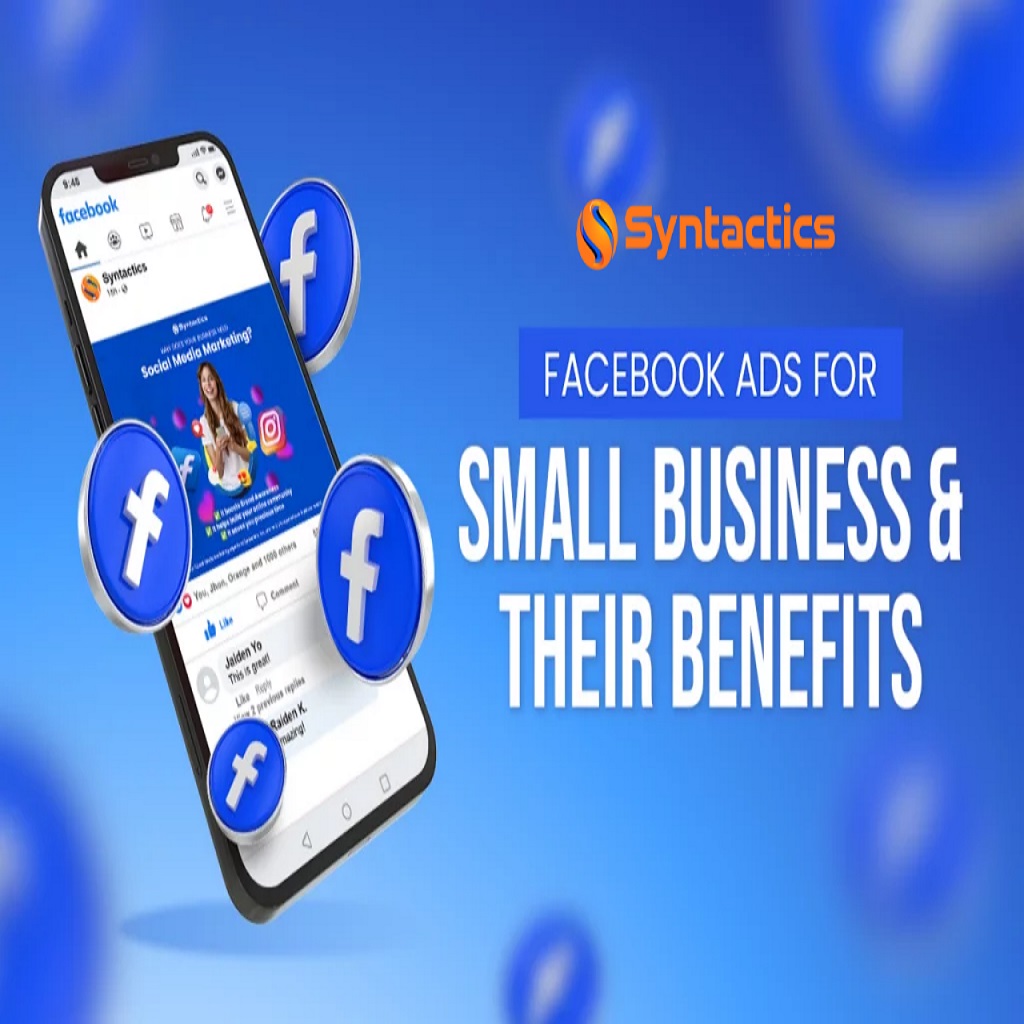
3. Invest in Video Ads Video content gets higher engagement than static images. Create short, informative, and attractive videos showcasing your products, behind-the-scenes, customer testimonials, or offers. Keep the first 3 seconds engaging to grab attention instantly. Adding captions is essential as many users watch videos without sound.

4. Use Lookalike Audiences
After you build a strong customer base or page followers, use Lookalike Audience feature. Facebook finds new people who are similar to your existing customers, increasing your chances of conversions as they share similar interests and behaviors. This expands your reach with higher targeting accuracy.

5. Always Test and Optimize
Never rely on a single ad copy or creative. Create multiple ad sets with different images, headlines, calls to action, and audience segments. Monitor which combination performs best and allocate more budget to it. Continuous testing and optimization is the key to achieving the best results in Facebook Ads campaigns.

Implementing these five strategies will help your small business gain more exposure, leads, and sales from Facebook Ads efficiently. Stay consistent with your marketing efforts, keep learning about new updates in Facebook Ads, and adapt your strategies accordingly to stay ahead of competitors.

Common Mistakes in Facebook Ads

Running Facebook Ads can be a game-changer for your business, but many advertisers make avoidable mistakes that lead to poor performance and wasted budget. Here are the most common Facebook Ads mistakes and how to avoid them to achieve better results for your campaigns.

1. Not Defining a Clear Objective
Facebook Ads Manager offers multiple objectives like brand awareness, reach, traffic, conversions, and lead generation. Many beginners select the wrong objective that does not align with their campaign goals. For example, if your goal is sales, choosing ‘traffic’ will only send visitors to your website without optimizing for purchases. Always choose the objective based on your exact campaign goal.

2. Poor Targeting
Targeting too broad or too narrow can hurt your results. If you target too broad, your budget will be wasted on people not interested in your offer. If you target too narrow, your reach becomes limited and costs increase. Research your audience well and use Facebook Insights to find the right balance for targeting.

3. Ignoring the Power of Creatives
Your ad creatives determine the first impression. Using poor-quality images, too much text, or irrelevant visuals will lead to low engagement. Always use high-resolution, eye-catching images or videos that resonate with your audience. Test different creatives to find what works best.

4. Weak Ad Copy
A compelling headline and clear call to action are essential. Avoid generic copy like “Buy Now” without context. Instead, address customer pain points or highlight benefits. For example, instead of “Buy Our Protein Powder,” write “Get Stronger and Healthier with Our Premium Organic Protein Powder.”

5. Not Using Facebook Pixel
Many businesses forget to install Facebook Pixel on their website. Pixel helps you track visitors, retarget them, and optimize campaigns for conversions. Without it, you miss out on valuable data for scaling your ads effectively.

6. Running Ads Without Testing
Launching a single ad without A/B testing is a mistake. Always test multiple ad variations – different headlines, images, descriptions, and audience sets. This helps identify the best-performing ads and reduces your cost per result.

7. Ignoring Analytics
Facebook provides detailed analytics on each campaign. Not monitoring your results will keep you unaware of what’s working and what isn’t. Regularly check metrics like CTR, CPC, conversion rate, frequency, and ROAS to make data-driven decisions.

8. Giving Up Too Early
Many beginners shut down ads within a day or two if they don’t see immediate results. Ads require time to optimize and gather data. Allow at least 3-5 days before making decisions unless the performance is extremely poor from the start.

9. Not Optimizing for Mobile
The majority of Facebook users are on mobile. Ensure your landing page, website, and ad creatives are mobile-friendly to provide a seamless experience and avoid losing potential customers.

10. Ignoring Video Content
Videos generally perform better than static images as they engage viewers effectively. If you’re only using image ads, consider creating short, informative, and attractive videos to increase engagement and conversions.

By avoiding these common mistakes, your Facebook Ads campaigns can become more efficient, cost-effective, and profitable. Always keep learning, testing, and adapting your strategies to the evolving Facebook Ads platform for consistent success.

Best Free Tools for Graphic Design in 2025

Graphic design continues to evolve, and in 2025, numerous free tools can help designers create professional visuals without investing in expensive software. Whether you are a beginner or a professional looking to save costs, these free tools offer excellent features and performance.

1. Canva
Canva remains one of the best graphic design tools with its vast library of templates, fonts, and stock images. Its drag-and-drop interface makes it easy to design social media posts, presentations, business cards, and more, even for non-designers.

2. Photopea
Photopea is an online alternative to Photoshop. It supports PSD, XCF, Sketch, XD, and CDR formats. Its interface is similar to Photoshop, making it easy for those familiar with Adobe to transition seamlessly for quick edits and design projects.

3. GIMP
GIMP (GNU Image Manipulation Program) is a powerful open-source graphic design tool suitable for photo editing, digital painting, and creating custom graphics. It offers advanced editing tools, layer management, and plugins to extend its functionalities.
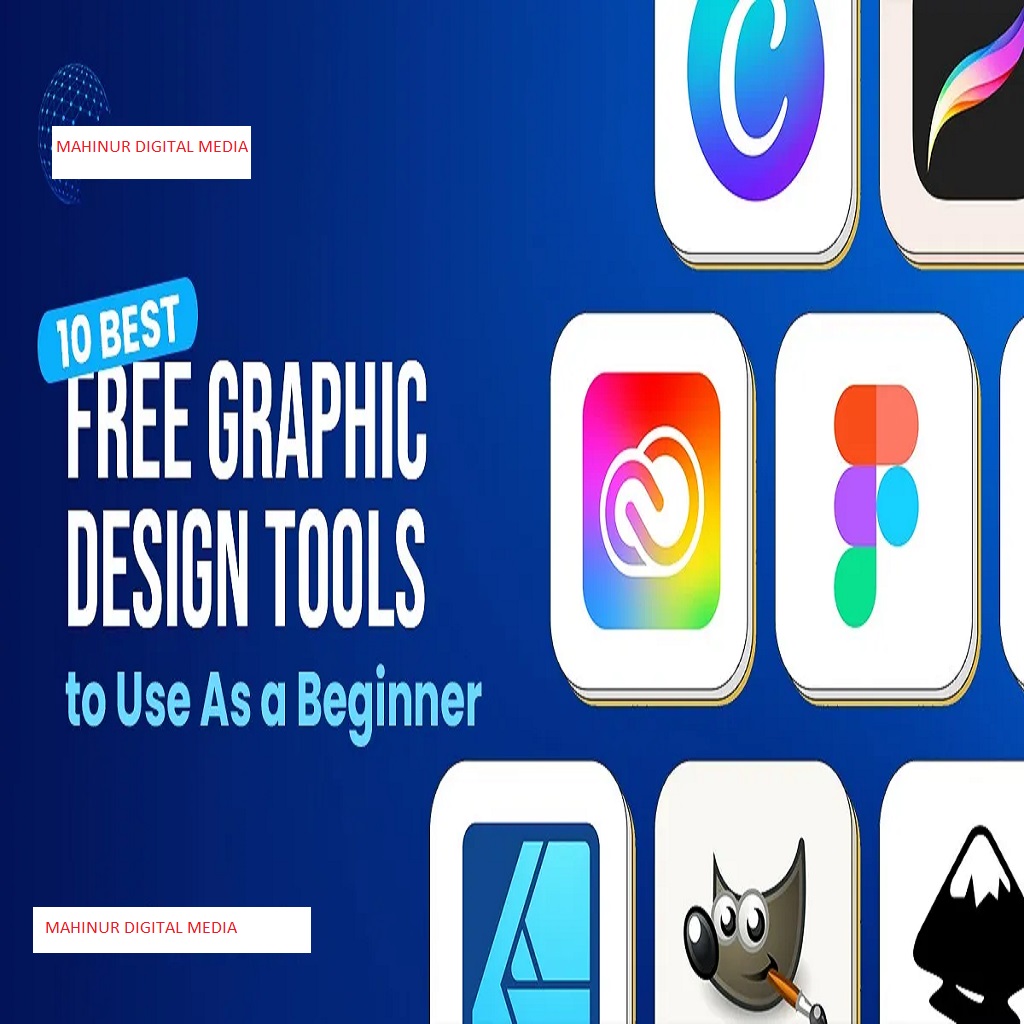
4. Figma
Figma offers a free plan for individual designers, allowing them to create user interfaces, social media designs, and prototypes efficiently. Its real-time collaboration feature makes it ideal for team projects and feedback collection.

5. Vectr
Vectr is a free vector graphics editor available online and as a desktop app. It is useful for creating logos, icons, and illustrations with precision. Its simple interface is beginner-friendly while still offering essential vector editing features.

6. Gravit Designer
Gravit Designer is another versatile vector design app with a free plan. It supports multiple file formats and works both online and offline. You can create illustrations, UI designs, and marketing materials efficiently using its intuitive tools.

7. Pixlr
Pixlr offers two powerful free online photo editors – Pixlr X (simple editing) and Pixlr E (advanced editing). It is ideal for quick adjustments, background removal, and applying filters without heavy software installation.

8. Inkscape
Inkscape is an open-source vector graphic editor, perfect for creating scalable designs such as logos, flyers, and infographics. It supports SVG natively and includes advanced drawing tools for professional outcomes.

9. Crello (VistaCreate)
Similar to Canva, Crello (now VistaCreate) offers thousands of templates for social media, ads, and branding. It has animation features for eye-catching content creation, and its free plan includes significant resources for marketers and designers.

10. DesignWizard
DesignWizard offers a library of templates and design elements for social media, presentations, and marketing materials. Its drag-and-drop interface is easy to use, making it an efficient tool for quick designs without technical skills.

These free tools enable designers to create high-quality graphics, improve workflow efficiency, and deliver professional results without hefty software costs. Explore and master them to enhance your graphic design career in 2025 and beyond.

Fiverr vs Upwork – Which is Better for Freelancers

Fiverr and Upwork are two of the most popular freelancing platforms globally. Choosing the right one depends on your skills, working style, and career goals. Here is a detailed comparison to help you decide which is better for your freelancing journey.

Fiverr Overview:
Fiverr started as a platform where services began at $5, but now it hosts gigs at various price points. Freelancers create gigs offering specific services, and buyers search for what they need and place orders directly. It is best for fixed-price, small to medium-sized tasks.

Upwork Overview:
Upwork operates on a bidding model where clients post projects, and freelancers submit proposals. Clients review proposals and choose whom to hire. It is suited for hourly work, long-term projects, and building relationships with clients over time.

Ease of Getting Work:
On Fiverr, new freelancers can start getting orders faster if their gig ranking is good, thumbnails are attractive, and keywords are optimized. On Upwork, getting the first client requires writing excellent proposals, a complete profile, and sometimes patience as clients receive many bids.

Fee Structure:
Fiverr charges a flat 20% commission on all earnings. Upwork charges 10% to 20% depending on the contract value (20% for the first $500 with a client, 10% up to $10,000, then 5%). Calculate your net earnings before pricing services.

Types of Projects:
Fiverr is better for predefined services such as logo design, video editing, or writing articles. Upwork is preferred for complex projects requiring continuous communication, long-term work, and detailed project briefs.

Client Communication:
On Fiverr, communication is limited to the order page and inbox after orders are placed. Upwork offers a full chat, video calls, and milestone management, making it more suited for collaborative projects.

Payment Protection:
Both platforms offer payment protection. Fiverr holds the buyer’s payment before starting the order, ensuring freelancers get paid upon delivery. Upwork uses escrow for fixed-price contracts and a work diary for hourly jobs to guarantee payments for approved work hours.

Profile Building:
Fiverr profiles are built around gigs. The more gigs and reviews you have, the stronger your profile. Upwork profiles are built as resumes showcasing skills, employment history, education, and portfolio items. Detailed profiles improve client trust.

Which is Better?
– Choose Fiverr if you prefer offering predefined services, want to set up multiple gigs, and have control over pricing and packages.
– Choose Upwork if you want to apply to jobs, negotiate terms, and build long-term client relationships for higher-value projects.

Ultimately, both platforms have potential. Many successful freelancers use both to maximize income streams. Start with one based on your skills and expand to the other as your freelancing career grows in 2025 and beyond.

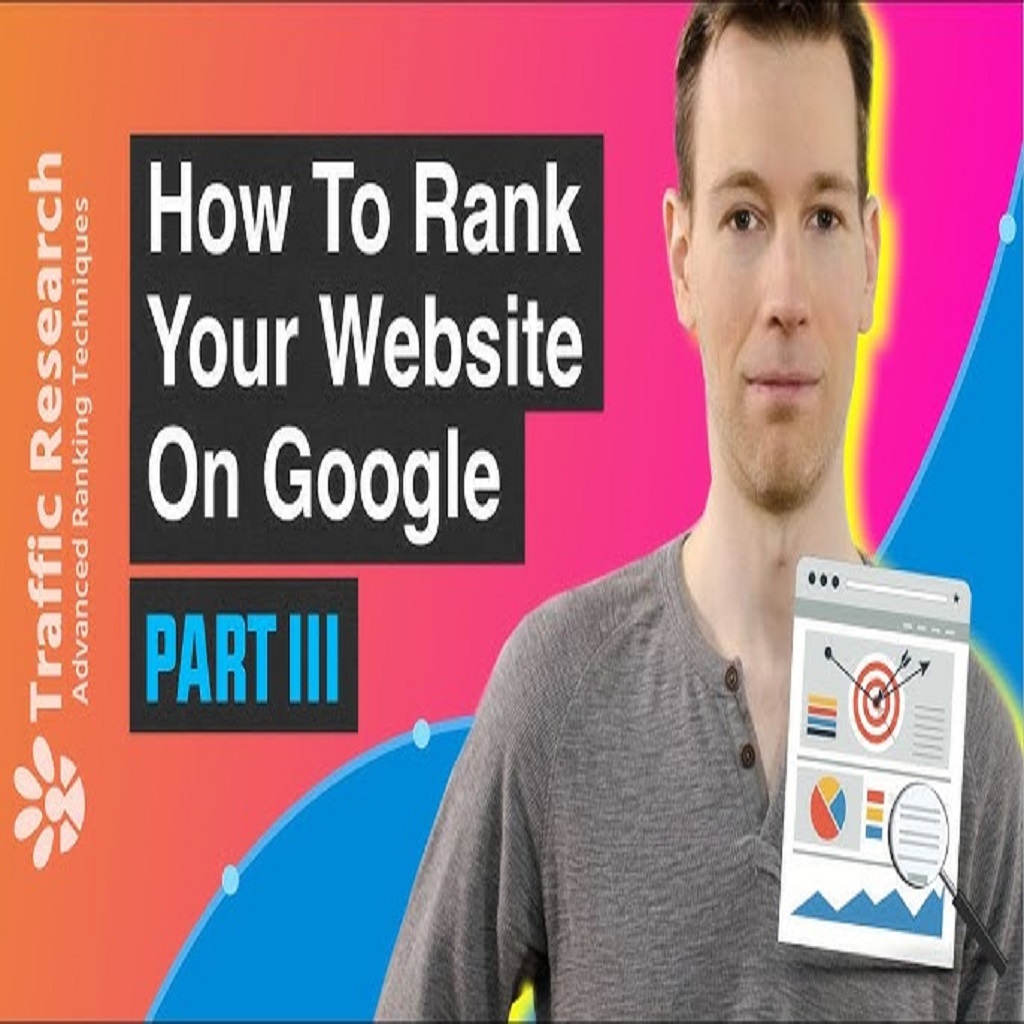
How to Rank Your Website on Google

Ranking your website on Google is crucial for online visibility and attracting organic traffic. Here is a comprehensive 5000-character guide to help you rank your website effectively.

1. Keyword Research:
Successful SEO begins with proper keyword research. Use tools like Google Keyword Planner, Ubersuggest, or SEMrush to find keywords relevant to your business with good search volume and low competition. Focus on long-tail keywords for better ranking opportunities.

2. On-Page Optimization:
– Place your target keywords in the page title, meta description, headings (H1, H2), and content naturally.
– Optimize image alt tags with keywords.
– Ensure URLs are clean and contain keywords (e.g., www.example.com/seo-guide).
– Use internal links to connect related pages within your site for better crawlability.

3. High-Quality Content:
Content is the king of SEO. Write unique, informative, and engaging content that provides value to users. Aim for comprehensive articles that answer users’ queries thoroughly, increasing dwell time and reducing bounce rate.

4. Mobile-Friendly Design:
Google uses mobile-first indexing, so your website must be responsive and load seamlessly on all devices. Test your site’s mobile compatibility using Google’s Mobile-Friendly Test tool.

5. Page Speed Optimization:
Website loading speed is a ranking factor. Optimize images, use browser caching, and minimize CSS and JavaScript files to enhance load times. Google PageSpeed Insights can provide specific recommendations.
6. Backlink Building:
Backlinks from high-authority websites signal credibility to Google. Build backlinks by:
– Guest posting on relevant blogs.
– Creating shareable infographics.
– Listing on local directories.
– Collaborating with influencers or writing expert round-ups.
Ensure backlinks are natural and from trusted sites to avoid penalties.

7. User Experience (UX):
Google prioritizes websites that provide excellent user experiences. Focus on easy navigation, clear CTAs, structured content, and minimal pop-ups to keep users engaged.

8. Technical SEO:
– Submit your sitemap to Google Search Console.
– Fix crawl errors and broken links.
– Ensure HTTPS security for your website.
– Use schema markup to enhance search appearance with rich snippets.

9. Consistent Content Updates:
Update your website regularly with new blog posts, updated service pages, and portfolio additions. Fresh content signals Google that your site is active and relevant.

10. Monitor and Analyze:
Use Google Analytics and Search Console to track your rankings, traffic, and user behavior. Analyze which pages are performing well and which need optimization. Adjust strategies accordingly for continuous improvement.

By applying these proven SEO techniques, your website will start ranking higher on Google search results, increasing your organic traffic, authority, and business growth in the digital world.

Best Hashtags for Digital Marketing Posts

Using the right hashtags in your digital marketing posts can significantly increase reach, engagement, and follower growth. Here is a comprehensive 5000-character guide listing the best hashtags and how to use them strategically for maximum results.

1. Why Use Hashtags:
Hashtags categorize your content, making it discoverable by users interested in your niche. They also help build community discussions, improve brand visibility, and drive targeted traffic to your profile or website.

2. Popular Digital Marketing Hashtags:
#DigitalMarketing #Marketing #OnlineMarketing #MarketingStrategy #SocialMediaMarketing #ContentMarketing #Branding #SEO #SearchEngineOptimization #EmailMarketing #AffiliateMarketing #InfluencerMarketing #GrowthHacking #MarketingTips #Business #Entrepreneur #Startups #BusinessGrowth #LeadGeneration #MarketingAgency

3. Niche-Specific Hashtags:
– For Facebook Ads:
#FacebookAds #FacebookMarketing #FBAds #AdsManager #PaidSocial
– For SEO:
#SEO #SEOTips #SEOExpert #GoogleRanking #SEOStrategy
– For YouTube Marketing:
#YouTubeMarketing #YouTubeSEO #VideoMarketing #YouTubeGrowth #YouTubeTips
– For Instagram Growth:
#InstagramMarketing #InstagramGrowth #InstaTips #IGMarketing #ReelsMarketing

4. Hashtag Strategy:
– Mix popular, medium, and low competition hashtags to reach broader and targeted audiences.
– Use branded hashtags to promote your services, e.g., #MahinurDigitalMedia.
– Analyze competitors’ hashtags to find hidden opportunities.
– Avoid banned hashtags that can shadowban your account.
– Keep hashtags relevant to the post content for higher engagement.

5. How Many Hashtags to Use:
– Instagram allows up to 30 hashtags per post, but using 8-15 highly targeted ones works best.
– Facebook posts generally do not require many hashtags; 1-3 are effective.
– LinkedIn posts perform well with 3-5 hashtags.

6. Trending Hashtags:
Research daily trending hashtags in your niche using tools like RiteTag or Hashtagify. Incorporating these increases your chances of appearing in Explore feeds.

7. Branded Hashtag Ideas for You:
#MahinurRahman #MahinurDigitalMedia #BangladeshMarketing #MarketingWithMahinur #DigitalBangladesh

8. Monitoring Hashtag Performance:
Use social media analytics to track impressions, reach, and engagement for each hashtag. Replace underperforming ones with new tested hashtags weekly to optimize results.

9. Hashtags for Freelancers:
#FreelancerLife #Upwork #Fiverr #RemoteWork #WorkFromHome #FreelanceMarketing #FreelanceDesigner #FreelancerTips

10. Final Tips:
– Create a saved list of hashtags categorized by niche for quick use.
– Place hashtags in the first comment (Instagram) to keep captions clean.
– Test hashtag groups to identify the highest-performing combinations.

By using these powerful hashtags strategically in your digital marketing posts, you will expand your reach, improve post visibility, and build an engaged audience for your brand and services consistently.

.

YouTube SEO – Tips to Rank Videos

Ranking videos on YouTube requires understanding the platform’s algorithm and optimizing every aspect of your content strategically. This 5000-character guide explains proven YouTube SEO techniques to boost your video visibility, views, and subscribers efficiently.

1. Keyword Research:
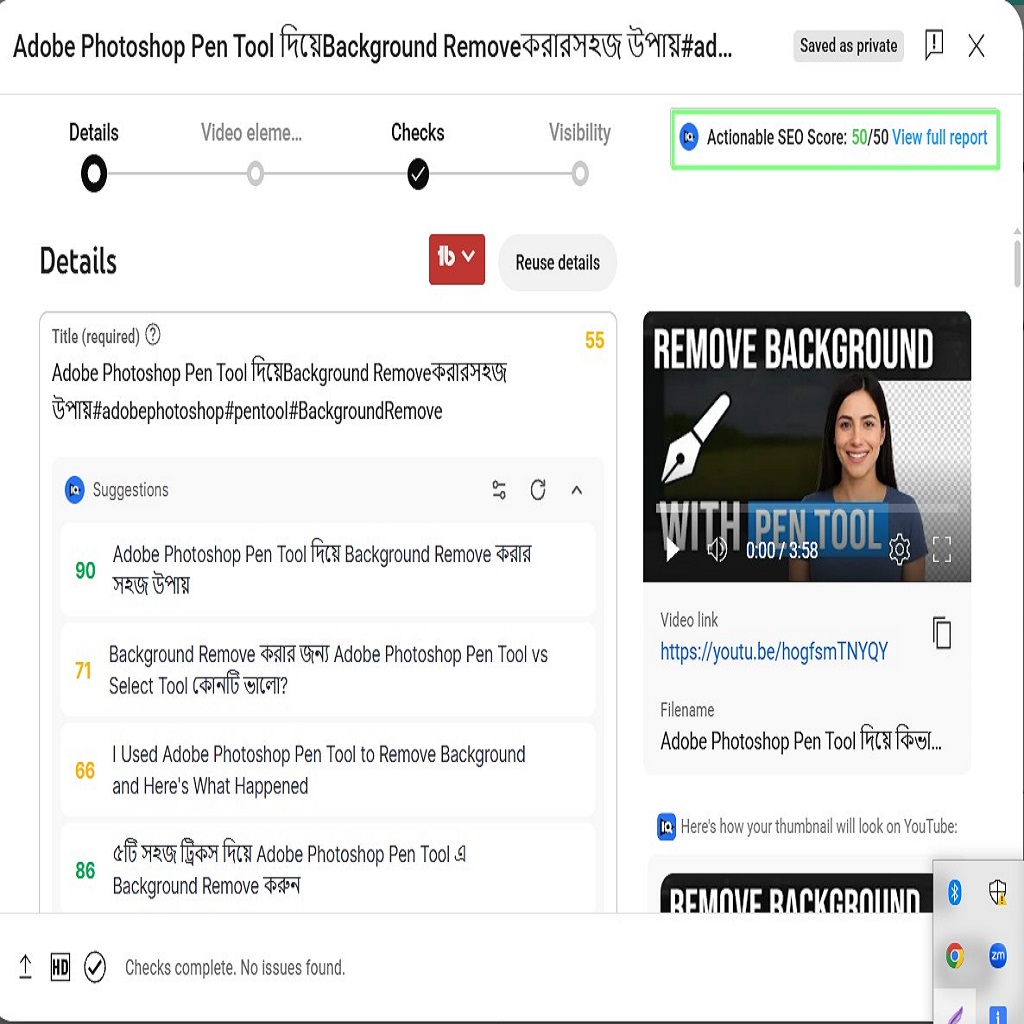
– Use tools like TubeBuddy or VidIQ to find high-search, low-competition keywords.
– Analyze competitor videos ranking for your target keyword to improve upon their titles, tags, and descriptions.
– Focus on long-tail keywords that reflect user intent and are easier to rank.

2. Optimized Titles:
– Include primary keywords naturally in the title.
– Make it compelling by adding emotional or curiosity triggers, e.g., “How to Rank YouTube Videos Fast in 2025 | Proven SEO Tricks”.
– Keep it under 60 characters for best visibility on all devices.
3. Detailed Descriptions:
– Use at least 250-500 words in your video description.
– Mention primary and secondary keywords naturally within the first two lines.
– Add video timestamps, links to your website or social media, and a call-to-action to subscribe.

4. Tags Optimization:
– Use 10-15 relevant tags including exact match keywords, broad match, and synonyms.
– Include branded tags like “Mahinur Digital Media” to build your brand visibility on YouTube search.

5. Custom Thumbnails:
– Create high-contrast, bright thumbnails with bold text overlays to increase click-through rate.
– Use consistent fonts, brand colors, and your photo to build brand recognition.

6. Engaging Content:
– Hook viewers within the first 10 seconds.
– Maintain clear visuals, audio quality, and value delivery to improve average watch time.
– Use calls-to-action mid-video to keep viewers engaged, e.g., “Comment below if this tip is helpful”.

7. Closed Captions & Subtitles:
Adding accurate subtitles improves accessibility and YouTube SEO as it reads text to understand video content.

8. Playlists:
– Organize your videos into keyword-rich playlists to improve session time and internal linking on your channel.
– Example: A playlist for “YouTube SEO Tutorials” or “Digital Marketing Strategies”.

9. End Screens & Cards:
– Link viewers to your other videos or playlists to reduce drop-off rate.
– Encourage them to subscribe using end screens.

10. Engagement Signals:
– Ask viewers to like, comment, and share.
– Reply to comments promptly to boost community interaction.
– High engagement signals YouTube to rank your videos higher.

11. Consistency:
Upload videos on a fixed schedule to train YouTube’s algorithm to recommend your channel regularly.

12. Analytics Monitoring:
Regularly check YouTube Analytics to monitor watch time, CTR, and audience retention. Adjust thumbnails, titles, and content type based on data-driven insights.

Final Tip:
Focus on creating valuable, authentic content that solves viewers’ problems while implementing these YouTube SEO techniques consistently to achieve higher ranking and sustainable growth.

How to Create a Google Site for Free

Creating a professional website is no longer limited to web developers. Google Sites allows anyone to build a website easily and free of cost. This 5000-character guide will help you create your Google Site step by step for your business, portfolio, or educational projects.

1. Accessing Google Sites:
– Visit sites.google.com and sign in with your Google account.
– Click the “+” icon at the bottom-right corner to create a new site.

2. Choosing a Template:
– Google Sites offers ready templates for portfolios, team sites, project sites, and events.
– Select a template that best fits your purpose or choose a blank template for full customization.

3. Adding Content:
– Click anywhere to add text boxes, images, or embed URLs.
– Use the right sidebar to insert layouts, buttons, dividers, and YouTube videos.
– Drag and drop to reposition elements on your page easily.

4. Customizing Site Design:
– Change the header type (cover, banner, or title only) to enhance visual hierarchy.
– Adjust font styles, colors, and background images to match your brand identity.
– Upload your logo to the top-left corner for professional branding.

5. Creating Multiple Pages:
– Click “Pages” on the right menu to add new pages like About, Blog, Contact, Gallery.
– Organize them in the navigation menu for easy access.

6. Adding Google Drive Files:
– You can embed Google Docs, Sheets, Slides, Forms, and Calendar directly onto your site pages.
– This is useful for sharing documents, forms, or schedules with visitors.

7. Previewing Your Site:
– Click the “Preview” icon (eye symbol) at the top to see how your site appears on desktop, tablet, and mobile devices.
– Check responsiveness before publishing.

8. Publishing Your Site:
– Click “Publish” at the top-right corner.
– Choose a unique web address under sites.google.com/view/yourchosenname.
– You can connect a custom domain later if you own one via Google Domains or third-party registrars.

9. Managing Site Visibility:
– Adjust sharing settings to make your site public or restrict it to specific people.
– By default, published sites are visible to anyone with the link if set to “Public”.

10. Updating Your Site:
– Google Sites automatically saves edits.
– After making changes, click “Publish” again to update the live version.

Benefits of Using Google Sites:
– Completely free with no hosting costs.
– Integrated with other Google Workspace tools.
– Easy drag-and-drop interface requiring no coding.
– Secure and mobile responsive by default.

Limitations:
– Limited advanced design customization compared to WordPress or Wix.
– Cannot install external plugins or scripts extensively.
– Best suited for simple websites, portfolios, small businesses, or educational projects.

Final Tip:
Always keep your site updated with relevant information and maintain a clean, professional layout. Google Sites is a powerful free tool to build your online presence without technical barriers.

How Digital Marketing Increases Communication Confidence

Effective communication is the backbone of any successful business or personal relationship. In the fast-paced world of digital marketing, communication becomes more significant than ever. The ability to communicate your ideas clearly and persuasively has a direct impact on brand success, customer retention, and even career progression. Digital marketing strategies increase communication confidence by providing multiple channels for interaction, fostering more engagement, and helping you present yourself in the best light.

1. Learning to Craft Clear Messages:
One of the most essential elements of digital marketing is creating compelling content that resonates with your audience. Whether it’s writing blog posts, creating video scripts, or designing social media updates, marketers learn to communicate in a clear, concise, and persuasive way. This skill translates directly to improved confidence in delivering messages effectively, whether in writing or speaking.

2. Audience-Centric Communication:
In digital marketing, successful communication is based on understanding the target audience’s needs, pain points, and preferences. This customer-centric approach trains marketers to think from the audience’s perspective and adapt their communication style to cater to the specific needs of different demographics. By mastering audience-centric communication, marketers develop the confidence to speak directly to various types of individuals, increasing overall confidence in communication.

3. Building Social Media Presence:
Social media platforms are one of the most effective ways to engage with your audience and communicate your brand message. Regular posting and interactions on platforms like Instagram, Facebook, and LinkedIn force marketers and business owners to engage in online conversations. These interactions, whether through comments, live videos, or direct messages, help build communication confidence by encouraging marketers to think on their feet and respond quickly to questions or concerns.

4. Analyzing Audience Feedback:
Digital marketing allows for real-time feedback from your audience, whether through likes, comments, shares, or direct messages. This immediate feedback loop provides marketers with the opportunity to refine their communication style, improve their messaging, and understand how effectively their communication is being received. By learning from audience interactions, digital marketers gain confidence in their ability to communicate with clarity and precision.

5. Use of Visual Communication Tools:
Visual content, such as infographics, videos, and presentations, is a key component of digital marketing. These visual elements can effectively communicate complex ideas in a simple, engaging way. Marketers who learn to incorporate visual tools into their communication strategy become more confident in their ability to communicate messages visually, making them more effective communicators overall.

6. Enhanced Storytelling Skills:
Digital marketing heavily relies on storytelling to engage audiences. Whether through blog posts, advertisements, or email campaigns, marketers use storytelling to connect emotionally with their audience. As marketers refine their storytelling skills, they become more confident in their ability to express their ideas in compelling ways, making their communication more impactful.

7. Increased Cross-Channel Communication:
Digital marketing encourages multi-channel communication, where messages are delivered through different platforms such as social media, email, blogs, podcasts, and videos. This cross-channel communication allows marketers to adapt their message for various formats and platforms, improving their overall communication skill set. As marketers engage across multiple channels, they gain confidence in tailoring their communication style to each medium.

8. Real-Time Engagement and Crisis Management:
Digital marketing often requires engaging with customers or followers in real-time. This could include answering customer inquiries, handling complaints, or managing PR crises on social media. By handling such situations in a professional and timely manner, digital marketers build the confidence to respond to any communication challenge, ensuring they can maintain composure and professionalism, no matter the circumstances.

9. Influencer Collaborations:
Collaborating with influencers or other brands in digital marketing further enhances communication skills. Marketers learn how to negotiate, build relationships, and communicate their vision clearly to establish successful partnerships. These experiences not only build confidence but also improve marketers’ ability to present themselves effectively to a wider audience.

10. Long-Term Confidence Growth:
Over time, as digital marketers continue to craft content, engage with customers, and optimize their communication strategies, their confidence in their communication abilities grows. This long-term growth, fueled by learning and continuous practice, leads to better performance in every aspect of marketing, business development, and personal communication.

Final Thoughts:
Digital marketing provides a platform to constantly practice and refine communication skills. From crafting perfect messages to responding to real-time feedback, the skills learned in digital marketing can be applied in any professional or personal setting. As digital marketers continue to grow and improve their communication strategies, they also become more confident in their ability to connect with any audience, ensuring that their messages are heard loud and clear.

Instagram Reels Growth Strategy

Instagram Reels has become one of the fastest-growing features on the platform, allowing creators and businesses to reach massive audiences with short, engaging videos. If you want to maximize your growth on Instagram, having a strategic approach to Reels is essential. Below is a comprehensive 5000-character guide to mastering Reels growth strategy for 2025 and beyond.

1. Understand Reels Algorithm:
Instagram prioritizes Reels that are entertaining, visually appealing, and engaging from start to finish. The algorithm promotes videos that keep viewers watching longer, increase shares, saves, and comments. Create content that hooks viewers within the first 3 seconds, uses trending music, and encourages interaction to boost visibility.

2. Consistency is Key:
Posting Reels consistently increases your chances of getting discovered. Aim for at least 3-5 Reels per week to maintain algorithm favorability. More frequent posting helps Instagram understand your niche and push your content to relevant audiences.

3. Focus on Your Niche:
Niching down your content helps attract a targeted audience who are genuinely interested in your offerings. Whether your niche is travel, fitness, education, or digital marketing, ensure your Reels align with your brand identity to build loyal followers who engage regularly.

4. Use Trending Audio:
Trending sounds significantly increase the chance of your Reels going viral. Explore Instagram’s audio library to identify trending music and sounds in your region. Combine these sounds with your unique ideas to create fresh, high-performing content.

5. Add Text Overlays and Captions:
Many viewers watch Reels without sound, so adding text overlays or captions increases watch time and accessibility. Highlight the key message, benefits, or storytelling points to keep viewers engaged till the end.

6. Leverage Hashtags Strategically:
Use relevant hashtags that match your niche and content theme. Avoid generic hashtags like #love or #fun and instead use specific hashtags like #DigitalMarketingTips or #InstagramReelsStrategy to reach your target audience effectively.

7. Create Educational or Problem-Solving Reels:
Educational content performs exceptionally well as it provides instant value. Tips, hacks, tutorials, and solutions to common problems in your niche attract shares and saves, signaling Instagram that your content is valuable and worth promoting further.

8. Optimize Video Quality:
Ensure your Reels are shot in high resolution with good lighting. Blurry or poorly lit videos discourage viewers and negatively impact your content’s performance. Invest in a ring light or shoot in natural daylight for better quality.

9. Hook Viewers Instantly:
Your first 2-3 seconds are critical to grab attention. Start with a bold statement, surprising visual, or compelling question that stops viewers from scrolling and compels them to watch till the end.

10. Encourage Engagement:
Use calls to action such as “Save this Reel for later”, “Comment your opinion below”, or “Follow for daily tips” to increase user interaction. Higher engagement signals the algorithm to show your Reels to a wider audience.

11. Cross-Promote Reels:
Share your Reels on your Instagram Stories, Facebook, and WhatsApp Status to maximize reach. Cross-promotion drives more initial views, increasing the chances of algorithmic boosts on the Reels feed.

12. Analyze Performance Metrics:
Regularly check Insights for each Reel to understand what works best. Analyze reach, plays, likes, comments, shares, and saves to identify top-performing content and replicate successful strategies for future Reels.

13. Experiment with Different Formats:
Don’t limit yourself to one type of Reel. Experiment with tutorials, storytelling, behind-the-scenes, motivational content, and humor to see what resonates with your audience. Diverse content keeps your feed dynamic and interesting.

14. Collaborate with Other Creators:
Collaborations expose your profile to new audiences and add credibility to your brand. Partner with creators in your niche for joint Reels or shoutout exchanges to boost mutual growth.

15. Be Authentic and Relatable:
Audiences connect with creators who show their real selves. Share personal stories, struggles, wins, and lessons to build a genuine connection with followers and foster long-term engagement.

Final Thoughts:
Instagram Reels growth requires consistent efforts, creativity, and strategic execution. By applying these strategies, you can increase your followers, reach, and engagement significantly. Remember, success doesn’t happen overnight, but with dedication and smart planning, your Instagram presence will grow rapidly in 2025 and beyond.

Difference Between Boosting Posts and Facebook Ads

When managing your Facebook marketing strategy, you will often encounter two main promotional options: boosting posts and running Facebook Ads through Ads Manager. Both can help you reach a larger audience, but they have distinct purposes, advantages, and limitations. Below is a detailed 5000-character explanation to help you decide which is better for your business goals.

1. What is Boosting a Post?
Boosting a post is the simplest form of Facebook advertising. It involves paying to increase the reach of an existing post on your page. When you click the “Boost Post” button, Facebook prompts you to set your budget, duration, audience targeting, and payment method. Your boosted post then appears higher in the news feed of your target audience and as a sponsored post.

Advantages of Boosting:
– Easy and quick setup directly from your page
– Increases engagement on organic posts (likes, comments, shares)
– Ideal for beginners with no Ads Manager experience
– Helps boost brand visibility and post interactions
– Cost-effective for basic promotions

Limitations of Boosting:
– Limited campaign objectives (mainly engagement, website clicks, or messages)
– Limited placement options compared to Ads Manager
– Fewer optimization and targeting features
– Less control over bidding strategies and advanced audience targeting

2. What are Facebook Ads?
Facebook Ads are created using Facebook Ads Manager, the platform’s comprehensive advertising tool. Ads Manager offers advanced options to create, customize, and manage campaigns with specific objectives, including lead generation, website conversions, video views, app installs, and sales. You can create different ad creatives, define split tests, retarget custom audiences, and track detailed performance metrics.

Advantages of Facebook Ads:
– Access to all campaign objectives (sales, conversions, app installs, leads)
– Advanced audience targeting (Custom Audiences, Lookalike Audiences, detailed interests)
– Multiple ad formats (carousel, collection, instant experience, video, slideshows)
– Advanced budget controls and bidding strategies
– Ability to run split tests and optimize based on performance metrics
– Access to detailed insights and performance data

Limitations of Facebook Ads:
– Requires knowledge of Ads Manager
– More time-consuming to set up and manage
– Higher learning curve for beginners
– Can be overwhelming if you are new to Facebook advertising

3. When to Boost and When to Use Facebook Ads?
Boost Post is ideal when:
– You want to quickly increase the visibility of a post
– Your main goal is more likes, comments, shares, or basic website visits
– You have limited knowledge of Ads Manager
– You want to promote an important announcement or content piece to your existing followers and similar audiences

Facebook Ads are ideal when:
– Your goal is to drive conversions, sales, or lead generation
– You want to retarget website visitors or custom audiences
– You need advanced targeting and optimization
– You want to test multiple creatives and placements
– You plan to run large-scale campaigns with specific performance goals

4. Key Differences at a Glance:
– **Setup:** Boost Post is quick with limited options; Facebook Ads require Ads Manager setup but offer full customization.
– **Objectives:** Boost Post mainly increases engagement or reach; Facebook Ads offer objectives like conversions, app installs, sales, and leads.
– **Targeting:** Boost Post has basic targeting; Facebook Ads provide advanced targeting options.
– **Placements:** Boost Post has limited placements; Facebook Ads allow full placement control across Facebook, Instagram, Messenger, and Audience Network.
– **Optimization:** Facebook Ads can optimize for specific outcomes (purchase, leads) whereas boosting optimizes primarily for engagement or reach.

5. Final Recommendation:
Both options are useful, depending on your goals. For simple post promotion and engagement, boosting posts is convenient. However, if you want to build a comprehensive marketing strategy with measurable ROI, advanced targeting, and conversions, Facebook Ads through Ads Manager are the better choice. For long-term business growth, learning and mastering Facebook Ads Manager is essential to fully utilize Facebook’s advertising potential and grow your brand effectively in 2025.

Top 10 Niches for Freelancers in 2025

Freelancing is evolving rapidly with technological advancements, AI integration, and digital globalization. Choosing the right niche is critical for long-term success. Here are the top 10 profitable freelancing niches in 2025 with detailed 5000-character insights to guide your career planning and market positioning.

1. AI Content Optimization:
AI is revolutionizing content creation, but human expertise is still needed for strategy, editing, and optimization. Freelancers who specialize in AI-assisted SEO writing, content editing, and integrating AI outputs with brand voice will remain in demand. Companies seek experts who can combine AI speed with human creativity to produce engaging, search-optimized content that drives traffic and conversions.

2. Video Marketing & Editing:
Video consumption is at its peak. Freelancers offering video editing, motion graphics, reels and short video creation, YouTube video production, and video ads will earn high rates. Platforms like TikTok, YouTube Shorts, Instagram Reels, and Facebook require optimized videos to reach audiences effectively. Skillsets like Premiere Pro, Final Cut Pro, CapCut, and After Effects are crucial.

3. Digital Marketing Strategy:
Businesses need marketing strategists to plan, execute, and manage campaigns across platforms (Facebook, Google, LinkedIn, TikTok). If you have expertise in creating end-to-end marketing funnels, campaign optimization, and analytics tracking, this niche offers high income and long-term projects. Certifications in Facebook Blueprint, Google Ads, and HubSpot will enhance your profile.

4. E-commerce Website Development:
As online shopping expands, freelancers skilled in Shopify, WooCommerce, Magento, and custom e-commerce solutions are in demand. Knowledge of payment gateway integration, website speed optimization, and user experience (UX/UI) design will position you for premium clients.

5. Cybersecurity Consulting:
With increased cyber threats, businesses need cybersecurity freelancers to audit, secure, and maintain their online platforms. Skills in ethical hacking, penetration testing, vulnerability assessment, and security compliance are highly valued by SaaS companies, fintech, and online stores.

6. Data Analysis & Visualization:
Companies generate massive data daily. Freelancers proficient in data analytics tools (Power BI, Tableau, Google Data Studio) and who can transform raw data into strategic insights for decision-making are highly paid. Knowledge of Python, SQL, and data storytelling is an added advantage.

7. Virtual Assistance (Specialized):
Beyond general admin tasks, specialized VAs focusing on digital marketing support, customer journey mapping, CRM management, and automation setup (Zapier, ActiveCampaign, Mailchimp) are in demand. These roles pay more due to their direct impact on business productivity and sales.

8. Online Course Creation & Management:
The e-learning market is booming. Freelancers who can create online courses, design curriculum, build learning platforms on Teachable, Thinkific, or Kajabi, and manage student communities will thrive. Combining educational psychology with tech skills creates high-value offers.

9. UX/UI Design:
A seamless user experience is crucial for any website or app. UX/UI designers who focus on accessibility, mobile responsiveness, conversion-centered design, and brand-consistent interfaces are in high demand. Master tools like Figma, Adobe XD, Sketch, and have a strong portfolio to attract premium clients.

10. AI & Automation Development:
As businesses adopt automation, freelancers with skills in AI model training, chatbot development, and workflow automation using tools like OpenAI API, Zapier, Make.com, and Python will become indispensable. This niche combines coding with practical business solutions, leading to high-ticket projects.

Key Takeaway:
The freelancing market in 2025 demands specialization and value-driven services. Choose your niche based on your passion, skill, and market needs. Build a strong portfolio, continuously update your knowledge, and focus on delivering measurable results for clients. Success in freelancing comes from strategic branding, consistent learning, and providing services that solve real business problems effectively.

How to Create Professional Thumbnails Easily

Creating professional thumbnails is essential to increase click-through rates (CTR) on YouTube, blogs, and social media posts. An effective thumbnail attracts viewers by visually summarizing the video or post content with clarity, emotion, and relevance. Below is a detailed 5000-character practical guide to creating high-converting thumbnails easily, even if you are a beginner.

1. Importance of Thumbnails:
Thumbnails act as the first impression of your content. Studies show that 90% of top-performing YouTube videos use custom thumbnails. Thumbnails influence user decisions to watch your video or skip it. Hence, investing time in designing eye-catching thumbnails is crucial for channel growth and audience engagement.

2. Recommended Tools for Easy Thumbnail Creation:
– Canva: Free and premium templates with drag-and-drop editing.
– Adobe Spark: Quick design with branding options.
– Photopea: Free Photoshop alternative for advanced editing.
– Snappa: Simplified graphic design tool for social media marketers.
– Pixlr: Web-based editing for custom creative designs.

3. Thumbnail Design Best Practices:

  • Use Bright Colors: Vibrant colors like yellow, orange, or red attract attention in YouTube’s dark interface.
  • Readable Text: Add 3-5 words maximum in bold, large fonts for clarity on mobile screens.
  • High-Quality Images: Use sharp images without pixelation to maintain professionalism.
  • Emotions and Faces: Thumbnails with expressive faces get higher clicks due to emotional connection.
  • Consistent Branding: Maintain consistent fonts, colors, and logo placement for brand recognition.
  • Contrast: Ensure the text and image elements contrast the background to stand out clearly.

4. Thumbnail Size and Format:
For YouTube:
– Resolution: 1280 x 720 pixels
– Minimum width: 640 pixels
– Format: .JPG, .GIF, .BMP, or .PNG
– Size: Under 2 MB
Maintaining this ensures high-quality display across all devices and platforms.

5. How to Create a Thumbnail Using Canva (Step-by-Step):

  1. Sign in to Canva and search for “YouTube Thumbnail.”
  2. Select a ready-made template or create from blank.
  3. Upload your video image or choose royalty-free images from Canva library.
  4. Add large bold text summarizing the key message or video hook.
  5. Adjust colors, contrast, and add your brand logo for identity.
  6. Download the thumbnail in PNG or JPG format at high quality.
  7. Upload it while publishing your video to increase CTR.

6. A/B Testing Your Thumbnails:
Use YouTube’s “Thumbnail A/B testing” feature (available for some channels via TubeBuddy or YouTube Studio Beta) to compare two thumbnails and choose the one with higher CTR to maximize views.

7. Common Mistakes to Avoid:

  • Adding too much text making it unreadable on mobile devices.
  • Using dull, low-contrast colors that blend into YouTube’s interface.
  • Misleading thumbnails that result in high bounce rates and reduced channel credibility.
  • Ignoring branding which decreases recognition in suggested feeds.

8. Final Tips:
Thumbnails should align with your content while evoking curiosity and urgency. Create a thumbnail design system template for your channel to save time in future edits. Analyze competitors’ thumbnails for inspiration and continuously improve your designs based on analytics insights.

With these steps and consistent practice, you will be able to create professional, click-worthy thumbnails easily, increasing your content reach, engagement, and subscriber growth efficiently.

Google Ads vs Facebook Ads – Which to Choose

Choosing between Google Ads and Facebook Ads is a strategic decision for every business owner and digital marketer. Both platforms have their unique strengths, targeting options, and campaign goals. Here is a complete 5000-character detailed guide to help you decide which advertising platform is best for your business.

1. Platform Overview:

  • Google Ads: The largest PPC advertising platform, covering search ads, display ads, shopping ads, YouTube ads, and more, targeting users actively searching for solutions.
  • Facebook Ads: A social media advertising platform targeting users based on interests, demographics, behaviors, and engagement, suitable for brand awareness and audience building.

2. User Intent:

  • Google Ads: Targets users with high buying intent as they are searching for specific keywords related to products or services.
  • Facebook Ads: Targets users based on interests, behaviors, and demographics, ideal for discovering your products even if they are not searching for them actively.

3. Audience Targeting:

  • Google Ads: Keyword targeting, location, device, time of day, retargeting.
  • Facebook Ads: Detailed demographic targeting, interests, lookalike audiences, custom audiences from website visitors or email lists.

4. Cost Comparison:

  • Google Ads: Cost per click (CPC) varies by industry and competition, generally higher for competitive keywords but delivers high-intent traffic.
  • Facebook Ads: Typically has a lower CPC, making it budget-friendly for reach and engagement campaigns. However, conversion rates depend on creative quality and targeting accuracy.

5. Ad Types:

  • Google Ads: Search ads, Display ads, Shopping ads, Video ads (YouTube), App promotion ads.
  • Facebook Ads: Image ads, Video ads, Carousel ads, Collection ads, Instant Experience ads, Messenger ads.

6. When to Use Google Ads:

  • When your audience is actively searching for your services.
  • If you need quick sales or leads with direct intent.
  • To dominate search engine results pages (SERPs) for high-competition keywords.
  • For local service-based businesses looking for immediate inquiries or bookings.

7. When to Use Facebook Ads:

  • For brand awareness, reach, and building audience engagement.
  • If your products/services require visual storytelling to build desire.
  • When targeting broad demographics with interests similar to your offer.
  • To nurture and retarget website visitors or warm audiences through funnel ads.

8. Integrated Strategy:
Many successful brands use a combination of both Google Ads and Facebook Ads for maximum results. Example: use Google Ads for intent-based conversion campaigns and Facebook Ads for retargeting and brand recall to increase overall conversion rates.

9. Measuring Success:

  • Google Ads: Measure ROI by clicks, conversions, cost per conversion, and quality score.
  • Facebook Ads: Measure results through reach, impressions, clicks, CTR, conversions, and cost per result.

10. Final Recommendation:
Choose Google Ads if your goal is direct sales, leads, or capturing active search traffic. Choose Facebook Ads if your goal is brand awareness, engagement, and nurturing potential customers through visual content. Ideally, integrating both will strengthen your overall digital marketing strategy for long-term growth.

SEO Basics for Beginners

Search Engine Optimization (SEO) is an essential skill for any online business or website owner. Whether you are running an e-commerce site, a blog, or a corporate page, mastering SEO can help you improve your website’s visibility on search engines like Google. In this detailed guide, we will break down SEO for beginners and provide practical steps to help you get started.

1. What is SEO?
SEO stands for Search Engine Optimization, a series of strategies and techniques that help a website rank higher on search engine results pages (SERPs). The higher your website ranks, the more likely users are to click through and visit your site. SEO helps to increase organic (non-paid) traffic, which can lead to higher sales and conversions.

2. Why is SEO Important?
With millions of websites competing for attention, SEO ensures your website stands out. When users search for products, services, or information related to your business, having your website show up on the first page of Google or other search engines increases your chances of being found. SEO helps you build credibility and trust with search engines and users alike.

3. The Key Elements of SEO:
SEO consists of three main elements: On-page SEO, Off-page SEO, and Technical SEO. Understanding these is essential to improving your website’s ranking.

  • On-page SEO: This refers to all the elements on your website that you can optimize to improve search engine rankings. Key factors include:
    • Keyword Research
    • Title tags and Meta descriptions
    • Header tags (H1, H2, H3)
    • Image Optimization (alt tags and file names)
    • Internal linking and URL structure
  • Off-page SEO: This includes activities outside your website that influence your search rankings. The most important factor here is building backlinks from reputable websites. Other off-page SEO practices include social media marketing and brand mentions across the web.
  • Technical SEO: Technical SEO focuses on improving the infrastructure of your website. This includes:
    • Website speed and mobile-friendliness
    • Website security (SSL certificates)
    • XML sitemaps
    • Robots.txt files
    • Fixing crawl errors

4. Keyword Research:
The foundation of SEO is selecting the right keywords that people use to search for your content, products, or services. To get started, use keyword research tools like Google Keyword Planner, SEMrush, or Ahrefs to find high-traffic, low-competition keywords. Place these keywords naturally in your titles, headings, and content.

5. Content Creation:
Content is king in SEO. Google loves fresh, high-quality content that provides value to users. Focus on creating informative blog posts, articles, videos, and other content types that address user needs and questions. Keep content relevant, engaging, and optimized for keywords.

6. Link Building:
Backlinks are one of the most important ranking factors for Google. They act as “votes of confidence” from other websites. The more high-quality backlinks you have, the better your website will rank. However, be careful of spammy backlinks, as they can lead to penalties from search engines. Focus on earning backlinks through guest blogging, content promotion, and relationship building with other reputable sites.

7. Measuring SEO Success:
Use tools like Google Analytics and Google Search Console to monitor your website’s traffic, keyword rankings, and SEO performance. Look at metrics such as organic traffic, bounce rate, and conversions to gauge the effectiveness of your SEO strategy.

8. Continuous Optimization:
SEO is not a one-time task but an ongoing process. Search engines constantly update their algorithms, and your competitors are also improving their SEO. Regularly update your content, optimize existing pages, and stay on top of SEO trends to maintain your rankings.

9. Local SEO:
If you’re running a local business, it’s crucial to implement local SEO. Claim your Google My Business listing, optimize it with your location details, and encourage customers to leave reviews. Use local keywords and create location-specific content to appear in local search results.

10. Mobile SEO:
With more people using mobile devices to search the internet, optimizing your website for mobile is a must. Ensure your website is responsive and loads quickly on mobile devices. Google also prioritizes mobile-friendly websites in its rankings, so this is an essential part of SEO.

Conclusion:
SEO is a long-term strategy that requires patience and continuous effort. By focusing on keyword research, high-quality content, on-page optimization, building backlinks, and ensuring a smooth user experience, you can significantly improve your website’s search engine rankings. With consistent effort, SEO can lead to more traffic, better user engagement, and increased conversions for your business.

Why Learning Digital Marketing is Important Even if You Are Not a Business Owner

In today’s fast-paced, digitally-driven world, learning digital marketing is no longer just beneficial for business owners—it’s a skill that everyone should acquire. Whether you’re a job seeker, student, professional, or even a stay-at-home parent, digital marketing has become an essential skill set that can open doors to numerous opportunities. Let’s explore why it’s important to learn digital marketing even if you’re not a business owner.

1. Digital Marketing is Everywhere:
Digital marketing is a multi-faceted field that covers various online marketing techniques, including social media, SEO, content marketing, email campaigns, and more. In today’s world, where everyone is connected to the internet, businesses and individuals alike are using digital marketing strategies to enhance their presence online. Regardless of your profession, understanding digital marketing can help you navigate through the modern digital landscape, allowing you to communicate more effectively, market yourself better, and stay ahead of trends.

2. Enhances Personal Branding:
Personal branding is an essential tool for standing out in the job market. Whether you’re an entrepreneur looking to promote your business or an employee seeking career advancement, learning how to market yourself online is crucial. Digital marketing enables you to effectively showcase your expertise, skills, and experience to a global audience. From creating a professional website to sharing valuable content on LinkedIn or Instagram, digital marketing helps you build a personal brand that speaks volumes about who you are and what you can offer.

3. Boosts Career Opportunities:
In today’s competitive job market, employers are seeking candidates who have digital skills, and digital marketing is one of the most sought-after skills. Understanding the principles of SEO, SEM, social media marketing, and content creation can give you a significant advantage when applying for jobs. Whether you’re applying for a marketing position or any other role, having a foundational knowledge of digital marketing will make you more appealing to potential employers.

4. Freelancing Opportunities:
If you’re looking to earn extra income or start a side business, digital marketing offers endless freelancing opportunities. You can offer services such as social media management, content writing, SEO optimization, and email marketing to clients across the globe. Freelancers with digital marketing skills are in high demand, and platforms like Upwork, Fiverr, and Freelancer.com have a constant need for individuals with expertise in these areas. Learning digital marketing will equip you with the skills needed to work independently and generate income online.

5. Improves Communication Skills:
Digital marketing isn’t just about reaching out to customers—it’s also about engaging with them. This involves excellent communication skills, whether through social media posts, email newsletters, blog writing, or video content. By learning how to communicate effectively online, you will improve your ability to express ideas clearly, build relationships, and persuade others. This is an invaluable skill in both personal and professional settings.

6. Gives You Entrepreneurial Skills:
Even if you are not a business owner, having entrepreneurial skills can help you in your personal and professional life. Digital marketing helps you think creatively and strategically about how to solve problems, reach goals, and measure progress. These skills are transferable to many areas of life, from managing a team at work to improving your personal finances. Learning digital marketing gives you the mindset and knowledge needed to take initiative and make the most of opportunities that come your way.

7. Keeps You Ahead of Technological Trends:
The digital marketing landscape is continuously evolving, with new tools, platforms, and technologies emerging regularly. By staying updated with the latest trends in digital marketing, you not only enhance your own knowledge but also remain competitive in your field. Whether it’s learning about artificial intelligence in marketing, using analytics tools, or optimizing for voice search, understanding these trends helps you stay relevant and adaptable in a constantly changing digital world.

8. Improves Networking Opportunities:
Digital marketing can help you expand your network beyond local and regional boundaries. With social media platforms like LinkedIn, Facebook, and Twitter, you can connect with like-minded professionals, industry leaders, potential clients, and even mentors. Networking online helps you expand your influence, gain valuable insights, and open doors to collaborative opportunities that can enhance your career growth.

9. Cost-Effective Learning and Career Development:
One of the best things about digital marketing is that it’s cost-effective and accessible. You can find a wealth of free and affordable resources online, including tutorials, webinars, and online courses. You don’t need to enroll in expensive degree programs to learn digital marketing. Platforms like Google, HubSpot, and Coursera offer certification programs that can help you boost your credibility and showcase your skills to potential employers or clients.

10. Becomes a Lifelong Skill:
As the world continues to embrace technology, digital marketing will remain a core skill for anyone who wants to thrive in today’s digital economy. Whether you’re looking to switch careers, grow your personal brand, or simply stay informed, digital marketing is a lifelong skill that will continue to serve you well throughout your career.

Conclusion:
Learning digital marketing is not just for business owners—it’s a powerful skill that everyone can benefit from. Whether you’re looking to improve your career prospects, grow your personal brand, or expand your freelancing opportunities, digital marketing provides the tools you need to succeed. In today’s digital age, it’s an essential skill that can open up countless doors for you, both professionally and personally. So, invest in learning digital marketing and start reaping the benefits today.

What is Digital Marketing and Why is it Important for Businesses Today?

Digital marketing refers to all marketing efforts that use an electronic device or the internet. Businesses leverage digital channels such as search engines, social media, email, and websites to connect with current and potential customers. In this age of technological advancement, digital marketing has become essential for the survival and growth of businesses.

Definition and Core of Digital Marketing
Digital marketing includes SEO, content marketing, social media marketing, PPC, affiliate marketing, and email marketing. These help businesses promote products and engage with audiences in real-time, track campaigns, and analyze performance effectively.

Why is Digital Marketing Important Today?
1. Wider reach & global audience.
2. Cost-effective compared to traditional marketing.
3. Highly targeted audience based on data.
4. Measurable results instantly with analytics.
5. Better conversion rates with optimized funnels.
6. Enhanced customer engagement & loyalty.
7. SEO boosts business credibility.
8. 24/7 marketing automation ensures continuous brand visibility.
9. Adaptable & scalable campaigns with real-time adjustments.
10. Competitor advantage to remain relevant.

Conclusion
In today’s world, digital marketing is not optional but essential for brand awareness, lead generation, customer retention, and growth. It builds lasting relationships and ensures long-term success for any business.

ডিজিটাল মার্কেটিং কি এবং আজকের ব্যবসার জন্য কেন গুরুত্বপূর্ণ?

ডিজিটাল মার্কেটিং হলো এমন একটি মার্কেটিং পদ্ধতি যেখানে ইলেকট্রনিক ডিভাইস বা ইন্টারনেট ব্যবহার করে পণ্য, সেবা, ব্র্যান্ড প্রচার করা হয়। সার্চ ইঞ্জিন, সোশ্যাল মিডিয়া, ইমেইল এবং ওয়েবসাইটের মাধ্যমে বর্তমান ও সম্ভাব্য গ্রাহকদের সাথে সংযোগ স্থাপন করা হয়। প্রযুক্তির এই যুগে ব্যবসার টিকে থাকা ও বিকাশের জন্য ডিজিটাল মার্কেটিং অপরিহার্য।

ডিজিটাল মার্কেটিং-এর সংজ্ঞা ও কার্যপ্রণালী
SEO, কন্টেন্ট মার্কেটিং, সোশ্যাল মিডিয়া মার্কেটিং, PPC, অ্যাফিলিয়েট মার্কেটিং এবং ইমেইল মার্কেটিং-এর মাধ্যমে ব্যবসা সরাসরি গ্রাহকের সাথে যুক্ত হয়, ক্যাম্পেইন ট্র্যাক করে এবং ফলাফল বিশ্লেষণ করে।

আজকের দিনে ডিজিটাল মার্কেটিং-এর গুরুত্ব
১. বিশ্বব্যাপী গ্রাহক পৌঁছানো।
২. ট্র্যাডিশনাল মার্কেটিং-এর তুলনায় খরচ কম।
৩. নির্দিষ্ট টার্গেট অডিয়েন্স।
৪. ফলাফল মাপা যায় সহজে।
৫. বেশি কনভার্সন রেট।
৬. গ্রাহক এনগেজমেন্ট বৃদ্ধি।
৭. SEO দ্বারা ব্যবসার বিশ্বাসযোগ্যতা বৃদ্ধি।
৮. ২৪/৭ মার্কেটিং অটোমেশন।
৯. রিয়েল-টাইমে পরিবর্তন ও উন্নতি।
১০. প্রতিযোগিতায় টিকে থাকা।

উপসংহার
ডিজিটাল মার্কেটিং এখন আর বিকল্প নয়, এটি ব্যবসার মূল হাতিয়ার। ব্র্যান্ড সচেতনতা, লিড জেনারেশন, কাস্টমার রিটেনশন এবং বিকাশের জন্য ডিজিটাল মার্কেটিং অপরিহার্য।